
If you’ve ever set up a Google Ads campaign for a local business, you probably know that you can target specific locations.
You go into Campaigns > Settings > Locations, and add the city, region, country you want to target.
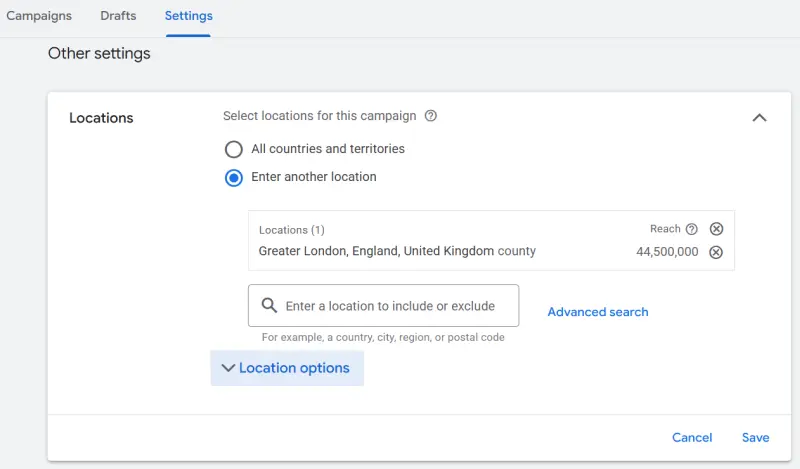
So far, so good.
You might even check your campaign metrics and see that the clicks you’re getting seem to be coming from the location you’ve targeted.
Looks like everything is working as expected, right?
Well… there’s one setting you might want to check.
What does “location targeting” actually mean?
By default, Google Ads uses Presence or Interest targeting.
In their own words, this means:
People in, regularly in, or who’ve shown interest in your targeted locations
And this is important because “shown interest in” doesn’t necessarily mean the person is actually there.
Google can determine that someone is interested in a location based on things like searches, previous searches, past physical locations, Google Maps activity and other signals.
So, for example, let’s say you run a local business in London and you’ve selected London as your target location.
Someone who’s actually in Bucharest could see your ad. Makes sense.
But someone who is somewhere else and has been searching for things related to Bucharest could potentially see it too. And that’s the bit that’s easy to overlook.
Because if you’re a local business where the customer actually needs to be in your area, those extra impressions and clicks may not be particularly useful to you. In fact, you might be wasting your budget to show your ads to the wrong people.
Here’s the setting you want to check
In your Google Ads campaign, go to:
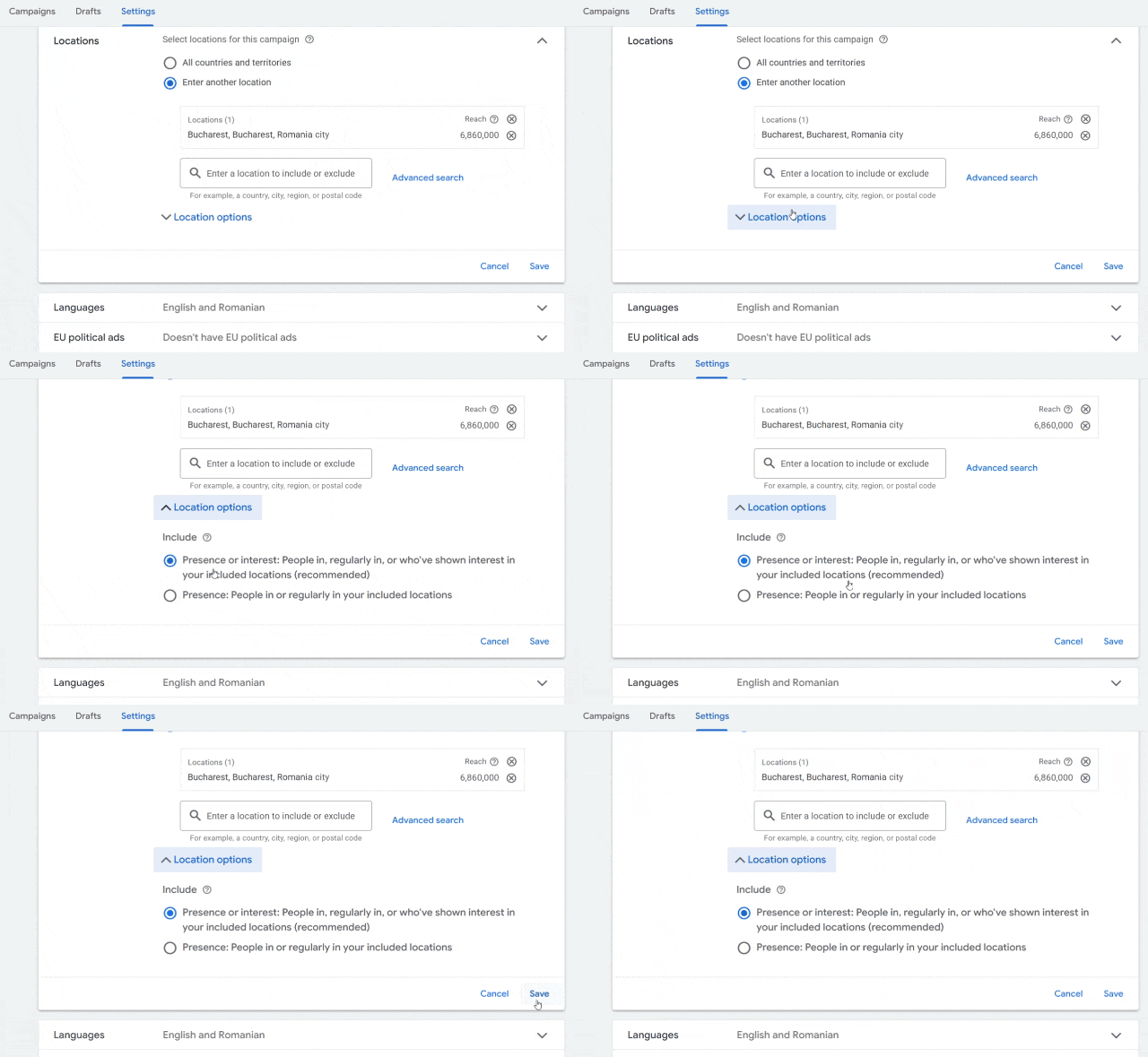
Campaigns → select your campaign → Settings → Locations → Location options
You’ll see the two options:
- Presence or Interest
People in, regularly in, or who’ve shown interest in your targeted locations
- Presence
People in or regularly in your targeted locations
If you want to restrict your ads to people who are likely to actually be in your target area, select Presence. That’s it, nothing complicated. Just one easy-to-overlook setting that can make a good part of your budget get wasted.
So should you change it?
Not necessarily. It depends on what you want.
If you’re selling something where people might be interested in a location without currently being there, the broader setting can make perfect sense. Things like hotels, tourism, real estate, education and similar businesses.
But if you run a local service and you only want people who are actually in your service area, you may want to narrow it down.
For example, if you’re a hairdresser in Bucharest, a dentist in Paris or a local gym who doesn’t serve customers outside your city, someone in another country who happens to be researching your city probably isn’t your ideal click.
In that case, Presence makes more sense.
As with most things in Google Ads – or any ads, for that matter – there’s no magic setting that’s right for every campaign. But it’s definitely worth knowing which one you’re using.
One more thing…
Don’t expect location targeting to be 100% accurate.
Google uses a combination of signals — including device information, IP address, user settings and behaviour — to determine where someone is located. It’s essentially Google’s best estimate, so there can still be some inaccuracies.
Also, Google may include nearby or closely related areas when you target a location, particularly where the specific area doesn’t meet Google’s targeting thresholds.
So changing this setting doesn’t mean you’ll suddenly have a perfectly sealed geographic bubble around your campaign.
It just tells Google: “I’m interested in people who are actually in this area, not just people who happen to be interested in it.”
And for some local businesses, that’s an important distinction.
If you’ve ever set up a Google Ads campaign, you know you can target specific locations. Within a campaign, you go to the tab Locations and you can Add or Exclude specific locations.
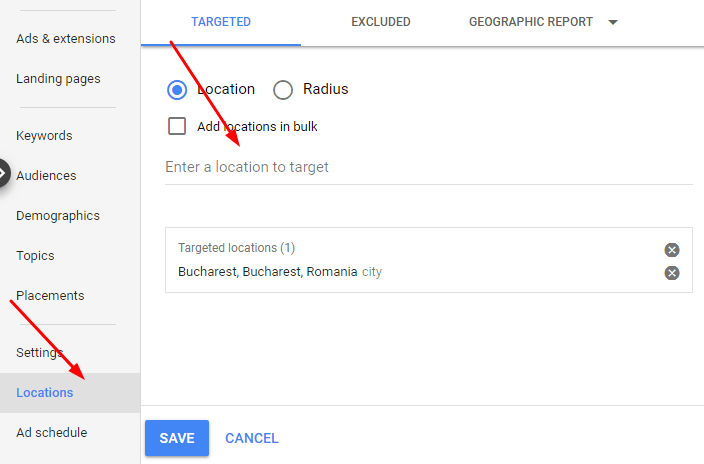
So far so good.
You might even check the metrics for your targeted location and see that all clicks are from your targeted area.
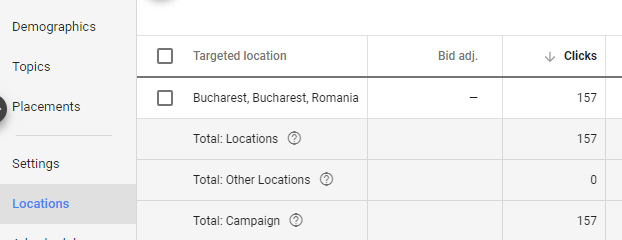
So you’re all good, your ads are only showing to users from your specific location. Right? Wrong!
Here is what Google actually does: they show your ads to “people in, or who show interest in, your targeted locations”. What does this mean? It means that they are showing your ads not only to people from your location, but also to people who showed interest in your location. And your advertising budget for you local business could easily be wasted on people from other cities, countries or even continents.
Here is what you need to do next.
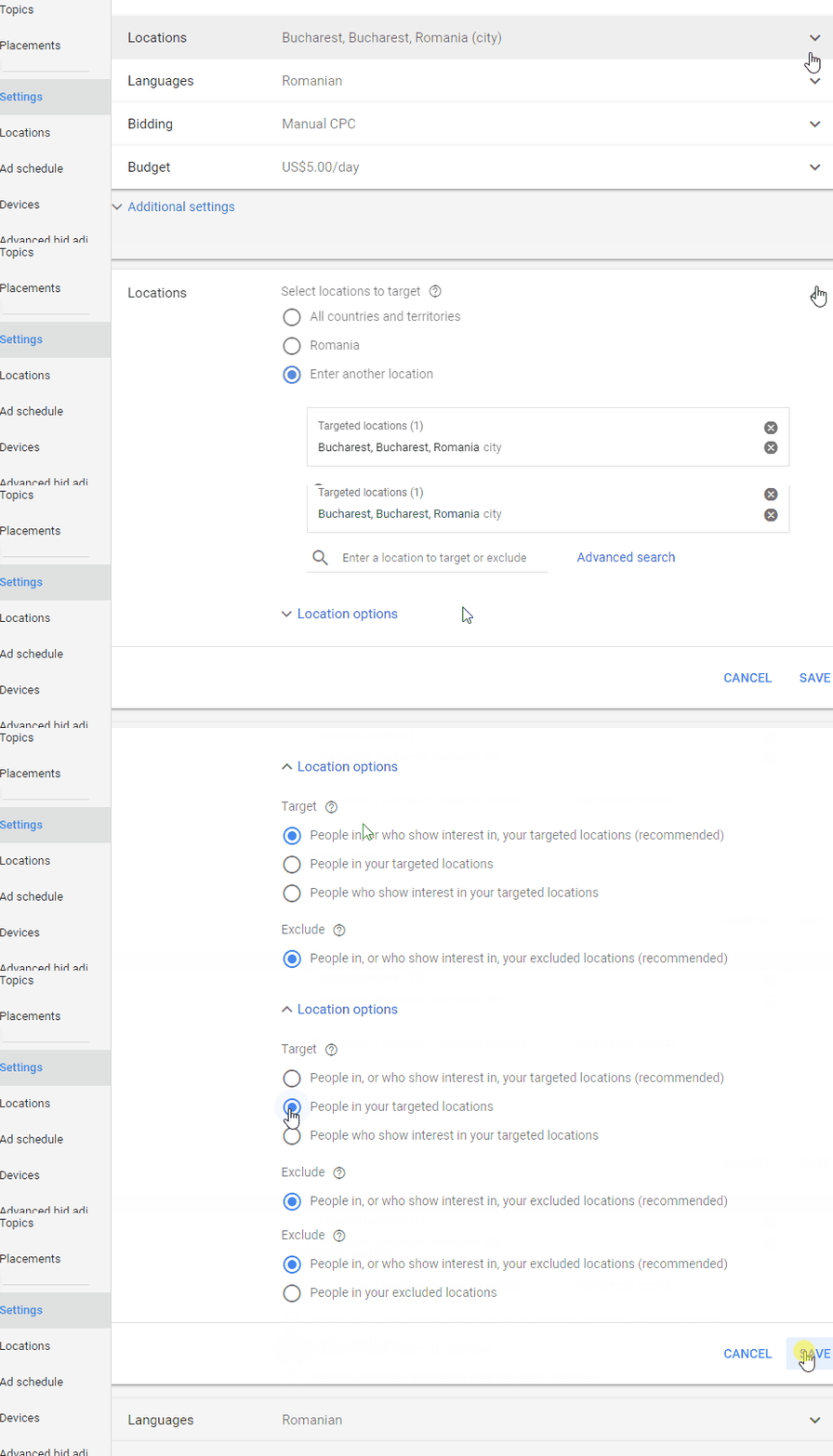
Head over to the Settings tab > Locations > Locations options then, instead of default option “People in, or who show interest in, your targeted locations (recommended)”, make sure to check “People in your targeted locations”. Now you’re done. Until the next setting Google comes up with to try to take your money.
